
Introducing Step Tools: A structured way to build AI workflows
Provide your agents with focused, step-by-step instructions using our new visual builder.
Published: Mar 09, 2026
For a while now developers have relied on massive system prompts to power AI agents. These long prompts attempt to provide specific, detailed, conditional instructions all in a single block of text. In high-stakes environments like healthcare and finance, asking an agent to manage identity verification, intent triaging, and compliance disclosures simultaneously can cause the agent to lose focus or skip critical instructions.
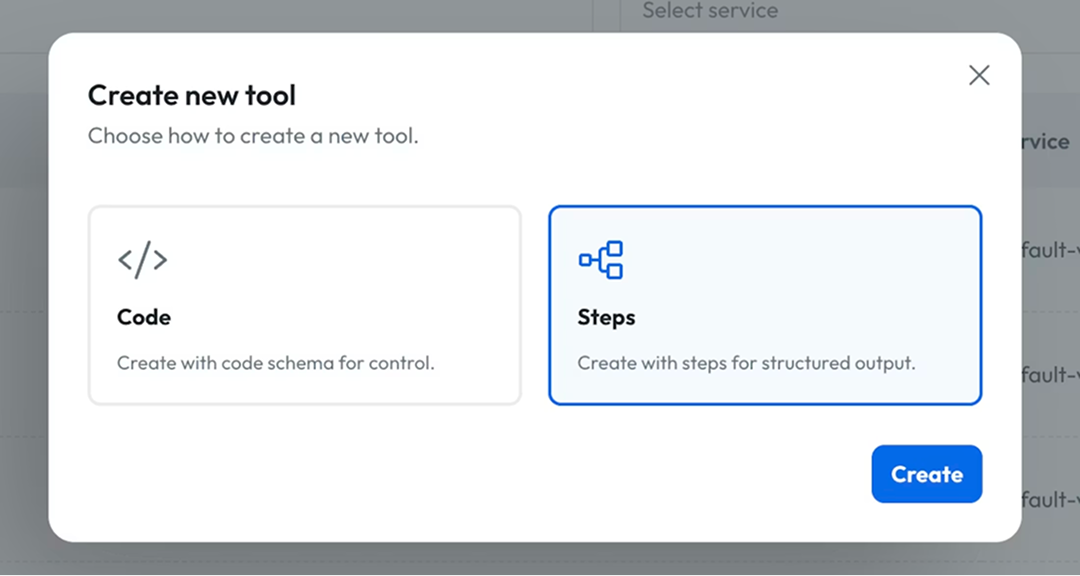
Today, Syllable is introducing a new, structured step-by-step way to make tools. Step Tools provide a user-friendly UI with form fields, offering an alternative to writing complex tools with JSON. This new feature UI was just made public as part of our Version 26.2.27 release.
What is a step tool?
A Step Tool is a structured way to guide an AI agent through a process. This UI-driven approach lets you structure steps so the agent is completely focused on one step at a time, along with the specific inputs and outputs of that step. The agent does not move forward without satisfying the current requirement.
For example, in healthcare, an agent must often collect a patient's name, date of birth, and phone number before discussing any health data. Step Tool enforces the strict collection of those three pieces of PHI before advancing to the next stage.
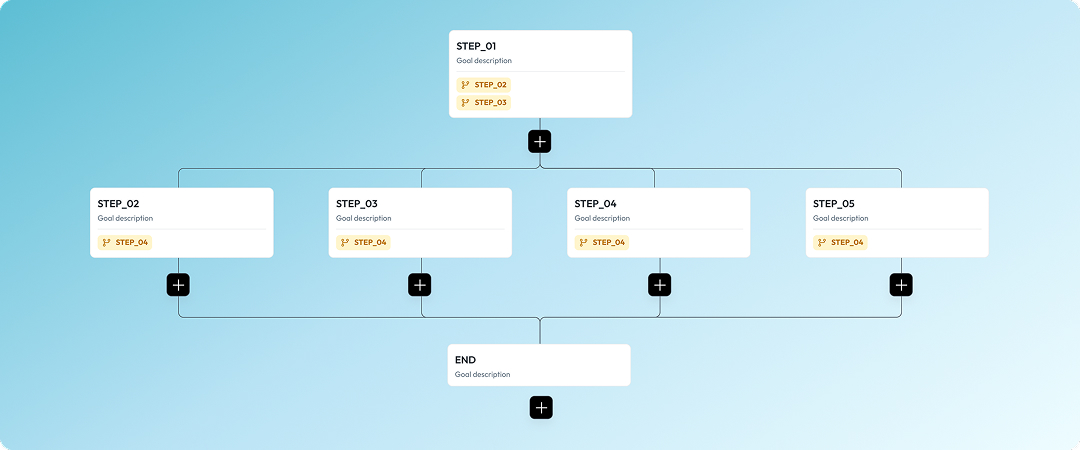
How step tools enforce logic
By utilizing this structured approach, Syllable gives you exact control over the agent's focus and the flow of the conversation. Here is how Step Tools compare to standard, monolithic prompting:
- Tool Creation: Standard prompts require writing instructions in JSON, whereas Step Tools provide user-friendly UI form fields for setup.
- Agent Focus: With standard prompts, an agent must filter relevant information from a massive block of text. Step Tools ensure the agent only sees the context for the exact step they are currently on.
- Compliance: An agent navigating a standard prompt may skip or reorder instructions. Step Tools enforce a strict, state-dependent sequence.
- Maintenance: A single edit to a standard prompt can affect the entire flow. With Step Tools, changes and optimizations are localized to specific steps.
Why use step tools?
For developers and operations leaders, Step Tools provide a new level of control depending on how you want your agents to behave.
- Structured and ordered tasks: Dividing long instructions into manageable steps allows agents to focus on one specific task at a time. This enables highly complex interactions without sacrificing accuracy.
- Cost efficiency: A prompt with a massive list of instructions using a high-end model becomes expensive with constant back-and-forth communication. Because Step Tools structure the flow and isolate the context to only what is needed right now, it cuts out wasted token usage and saves money.
- Enforced data collection: Logic branches ensure data is collected in the correct order before the conversation advances. If an agent is in the verification step, the instructions for scheduling are not visible, reducing cognitive overload.
Ready to try a structured approach? Explore the Syllable Console and navigate to Tools to build your first Step Tool today.
Read the full Version 26.2.27 Release Notes or dive straight into building with our Official Step Tools Documentation.
View All Blog Posts
Read more tutorials, product updates, and insights on the Syllable Blog.